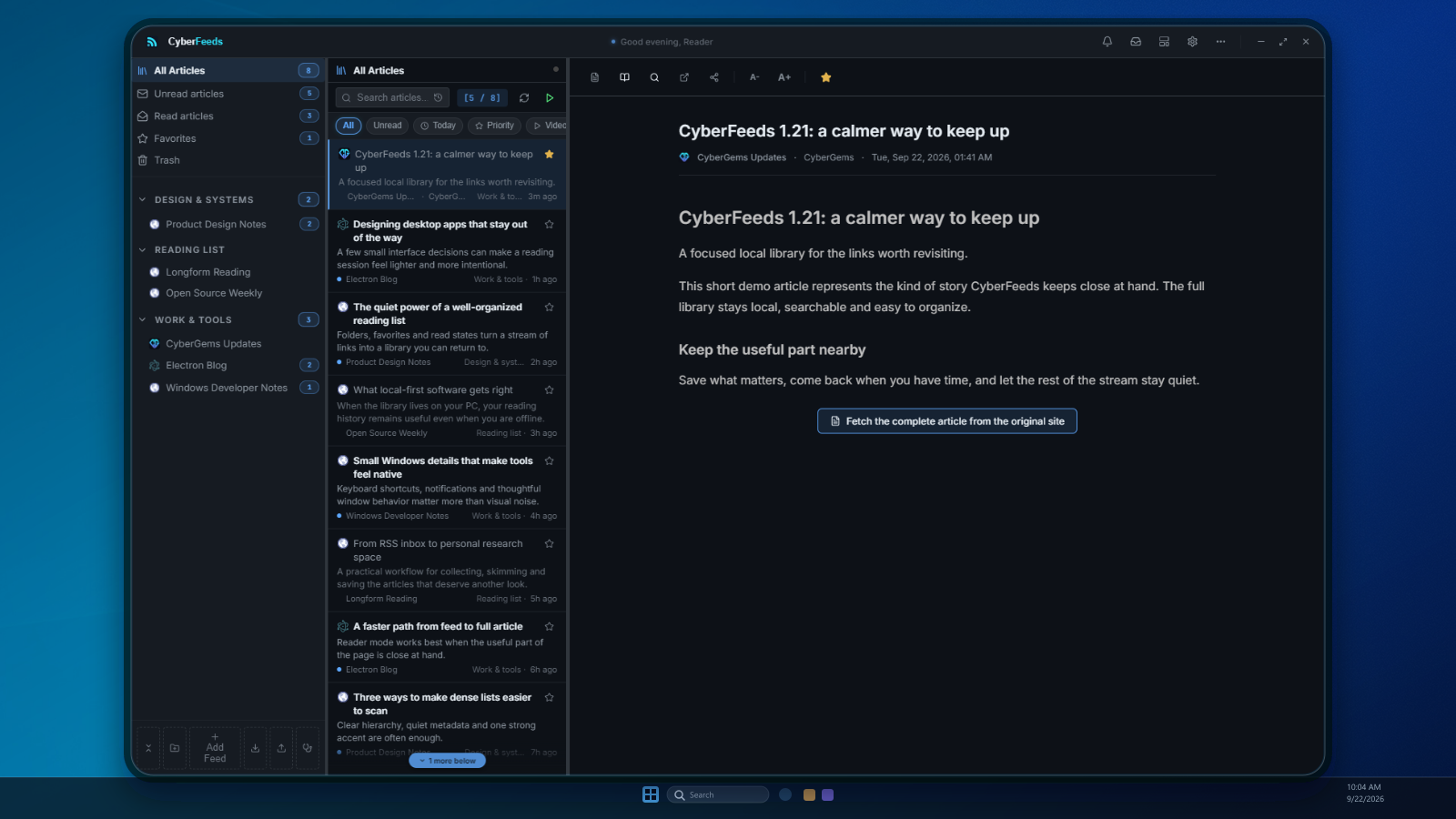
CyberFeeds brings updates from the websites, YouTube channels and Reddit communities you follow into one desktop app. Add RSS or Atom feeds, or import your subscriptions from an OPML file. Catch up in a focused reader, find articles later with search, and choose which new posts deserve a notification. Folders, favorites and read states help you stay organized, while automatic backups and a local SQLite database keep your library on your PC without an account.
Follow more. Browse less.
The updates you care about, together in one reading space.
- 01
Choose your sources
Add websites, YouTube channels and Reddit feeds, or import your subscriptions.
- 02
New stories arrive
CyberFeeds checks for updates and keeps your article library on your PC.
- 03
Read on your terms
Read full articles when available, search your library and save favorites.
ReadSearchStar
A better way to keep up
One home for your sources
Bring websites, YouTube channels and Reddit feeds into one organized reading list.
Read the whole story
Open articles in a focused reader and extract full text when the source allows it.
Keep your library local
Your articles live in a local database, with backups and OPML export to help you keep control.
More ways CyberFeeds helps
- Subscribe to RSS, Atom, YouTube and Reddit sources
- Import and export OPML while keeping your folder structure
- Find articles across your library or search within an open article
- Filter notifications by keyword and snooze them when you need focus
- Organize with folders, favorites, read states and trash
- Watch videos in the app or use a floating Picture-in-Picture player
- Open articles in tabs with session restore and quick switcher
- See new articles without losing your place in the reading list
- Back up and restore your local library automatically
Use Cases
By Role
Curious readers
Catch up with favorite publications in one place instead of opening the same tabs every day.
Researchers
Follow specialist sources, save useful articles and find them again with search.
Video followers
Keep track of YouTube channels and playlists alongside the rest of your reading.
Privacy-minded people
Build a reading library on your own PC without signing in to a cloud reader.
By Task
Bring your subscriptions
Import an OPML file with its folders or add a new feed directly.
Catch up without tab hopping
Read new posts from different sources in a single organized list.
Find something you read
Search your article library or look for a phrase inside the article you have open.
Tune your alerts
Use keyword filters and snooze to hear about the updates that matter to you.
Try CyberFeeds
Free for Windows 10 and 11. No account required.
Download latest🖥️ Requirements & safety
- · Windows 10 / 11, 64-bit. Electron · React · TypeScript
- · Installer or portable
- · 🔏 “Unknown publisher” SmartScreen warning is expected (no paid certificate yet). Verify via release SHA / VirusTotal or build from source.
Share CyberFeeds
Follow releases
Get notified about new versions and security updates: